OSINT TOOLKIT: URLSCAN.IO, A WEB SCANNING TOOL THAT CAPTURES WEBSITE EVIDENCE AND SAFELY ANALYZES SUSPICIOUS URLS
Martina Elena Nitti, Agustin Isidro, Sinead O’Carroll, OSINT-RDT Team
Matlhatse Saadiyah Letsoalo, Editor; Jennifer Loy, Chief Editor
September 13, 2026
Industry: Cyber Intelligence, Security Services
(The Open Source Intelligence [OSINT] Toolkit is a report to help teach about various OSINT tools that can be used by Threat, Security, Intelligence, and Investigative Professionals [TSIIPs]. The data in this report is accurate as of the publication date.)
URL Analysis[1]
What is the BLUF about the OSINT Tool?
Urlscan.io is a free OSINT service that analyzes URLs and internet protocol (IP) addresses without requiring direct access. It captures screenshots, traces Hypertext Transfer Protocol (HTTP) transactions, identifies third-party scripts, and records IP data associated with suspicious links. The tool does not mandate any software installation or an account for basic scans, but TSIIPs should be aware that default scans result in the platform's live global feed.
What is the name of the OSINT Tool?
URL:
Who makes this tool?
The tool’s creator and founder is Johannes Gilger.[2]
What country is this tool based out of?
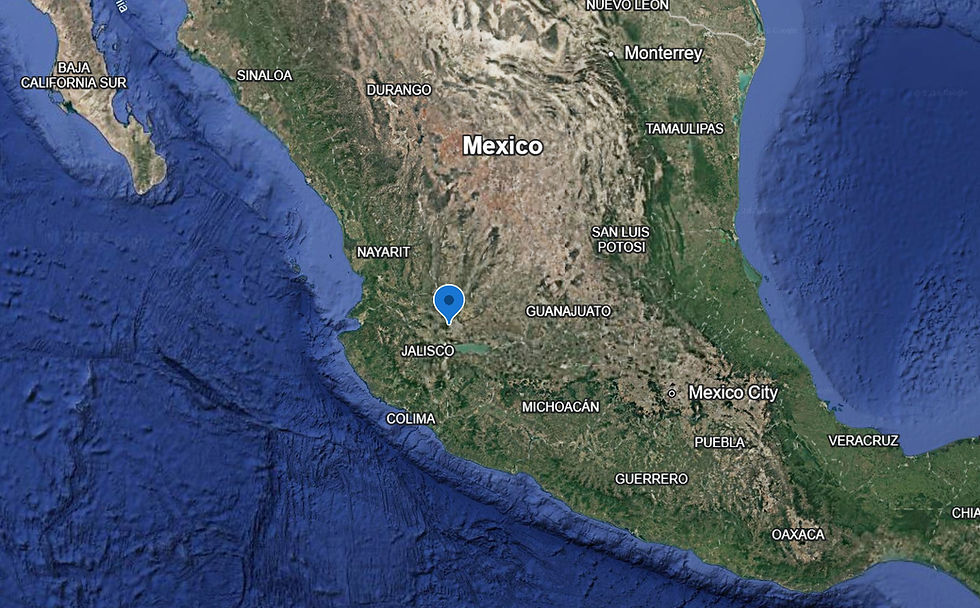
Germany[3]
What is the purpose of the OSINT Tool?
Urlscan.io is an automated network inspection service that analyzes and catalogs the technical behavior of websites and their potential maliciousness. The platform initiates an automated process that browses to the target domain like a visitor, recording all HTTP transactions, requested resources, and contacted IP addresses. It also captures page data with a high-resolution screenshot, logs Document Object Model (DOM) content, and stores cookies and JavaScript global variables. At the same time, it can document any active cryptographic SSL/TLS certificates and Domain Name System (DNS) resolutions.
What is the reason TSIIPs should use this OSINT Tool?
The tool provides an isolated environment that will very likely eliminate the risk of local malware infections, enabling TSIIPs to safely inspect unverified domains without compromising host systems or organizational networks. The tool´s intuitive interface optimizes analysts' time and workflow by presenting screenshots and network redirection paths immediately, allowing TSIIPs to inspect those websites safely without exposing their systems to threat actors. The historical archive lets analysts search for past footprints such as historical Secure Sockets Layer (SSL) or Transport Layer Security (TLS) certificates, or even associated subdomains, enabling TSIIPs to trace recurring campaigns and map adversary networks. The tool’s accessibility and the absence of paid subscriptions enhance its complete use and reduce resource expenses.
What results will TSIIPs receive from the use of this OSINT Tool?
The use of urlscan.io will assist TSIIPs in evaluating the behavior and infrastructure of a URL by providing an interactive analysis with the following parameters and/or indicators:[4]
Overview: a visual rendering of the website with malicious score ratings, security analysis, and detection flags for more than 900 tracked brands, as well as some page statistics. It also includes how many times users scanned the site and when the owner created the domain.
Network and transactions: a chronological timeline of all HTTP requests, active cookies, and redirections.
Domain metadata: active IP addresses, AS, physical hosting providers, countries of origin, DNS records, and JavaScript window variables.
Security and certificates: SSL and TLS certificates and public certificate transparency logs.
Technology stack: an inventory of active third-party technologies powering the domain.
Links and hashes: a registry of all hyperlinks on the webpage, with their titles and the ability to scan those URLs. It also shows similar websites.
Content: text-only option.
If they log in: Application programming interface (API) and DOM are available.
How will this OSINT Tool help TSIIPs protect a person or organization?
TSIIPs can use Urlscan.io to access suspicious links while they are live, block associated domains and IP addresses, warn those potentially affected, and submit takedown requests for malicious websites to the relevant providers. TSIIPs can detect typosquatted and lookalike domains exploiting an organization's identity before individuals are defrauded.[5] Each scan preserves a timestamped screenshot, page content, and network log at a permanent URL, providing TSIIPs with evidence necessary for law enforcement referrals and takedown requests. TSIIPs can search historical scans for shared certificates and hosts to identify other sites associated with the same threat actor, allowing them to block associated domains.[6]
Instructions on using this OSINT Tool:
Users can access the tool using the link provided above.
At the center of the webpage, users can paste their preferred URL and click “Public Scan” to start their research.
To filter their research before starting it, users can click “Option” and select their preferred options between “Scan Visibility,” “Country Selection,” “User Agent,” “Custom User Agent,” and “HTTP referer.”[7]
If the information in users’ possession is not a URL, they can click “Search” at the top of the webpage and add their data in the “Search for domains, IPs, filenames, hashes, ASNs” tab.[8]
Users can access additional help on how to use this functionality by clicking “Help” next to the empty search bar.[9]
Users can consult a list of recent scans and searches by scrolling down in the respective tabs of the website. These pages also automatically update the results approximately every 10 seconds. Users can also access live results by clicking the “Live” tab at the top of the main webpage.[10]
Users can read the tool’s blog and consult its documentation on general or legal matters by clicking the “Blog” and “Docs” tabs, respectively, at the top of the webpage.[11]
Users interested in commercial plans and pricing of the tool can click the “Pricing” tab at the top of the webpage.[12]
Users interested in having a registered profile on the tool’s website can register and log in through the “Log In” tab at the top of the webpage.[13]
Example of this OSINT Tool in use by a TSIIP?
Consider a scenario where TSIIPs receive a suspicious email where the sender identifies a person of interest (POI) allegedly committing fraud in connection with a humanitarian campaign. The campaign seems to involve raising funds to address several critical situations in Central Africa stemming from natural disasters and clashes between violent organizations. The POI, as indicated in the email, is gathering funds to assist the population but does not follow up with donors. Additionally, the website used to collect the funds provides limited information on their use or the procedures involved and does not include testimonial images or reviews. TSIIPs start an investigation on the POI and the website used. The procedure would be as follows:
TSIIPs investigate the POI’s name, address, Social Security number, and personal information available on official websites, using other OSINT tools to gather more data.
Once the POI’s identity is clear, TSIIPs start investigating the URL used to gather the funds for the humanitarian campaign, leveraging urlscan.io to access data about the website, including a fake license, malicious activity, and a date of creation inconsistent with the start of the humanitarian campaign.
TSIIPs use SpiderFoot to detect any other malicious activity connected to the POI or the current URL attached to the campaign’s project, discovering several other people who might be linked to the fraud by associating with the POI’s online activity.
After concluding the investigation on all POIs, TSIIPs deliver the initial assessment to the relevant authorities, who can close the website and investigate the flow of donated money for potential fraud.
What other tools should be used with this OSINT Tool?
Users should always cross-reference information obtained from open-source tools with other similar tools, such as WebCheck, to verify the accuracy of the information provided. Users can consult a complete report on WebCheck by the OSINT-RDT Team on the CTG website.[14] Users interested in the IP scan functionality of urlscan.io can leverage more specific tools, like SpiderFoot, for deeper URL and IP address scans and research. Users can access a detailed report on SpiderFoot by the OSINT-RDT Team on the CTG website.[15] Users can also use domain intelligence tools like Who.is to verify domain registration information and access data regarding the registrar’s identity, domain status, expiration date, and date of registration.[16]
Are there any concerns that TSIIPs should have about using this OSINT tool?
Urlscan.io publishes scans in a searchable global feed, which allows threat actors to monitor their own domains and detect that TSIIPs are investigating them. Unlisted and private scan options mitigate this risk, but free accounts receive a limited number of private scans per day, which limits this countermeasure.[17] TSIIPs should submit any URL containing personally identifiable information (PII), authentication tokens, or confidential material under the most restrictive settings, or otherwise avoid scanning such URLs. Impersonation detection covers only the 500 brands urlscan.io tracks, so TSIIPs should not assume an unflagged domain is legitimate.[18] False positives can hinder the search, prompting TSIIPs to use corroborating tools to verify results after each search.[19]
[1] URL Analysis, generated by a third party database
[2] Ibid
[3] About, Linkedin, https://www.linkedin.com/company/urlscan/about/
[5] urlscan Pro – Newly Observed Domains (NOD) Feed, urlscan.io, https://urlscan.io/pricing/newly-observed-domains/
[6] Frequently Asked Questions, urlscan.io, https://docs.urlscan.io/pages/faq
[8] Search for domains, IPs, filenames, hashes, ASNs, urlscam.io, https://urlscan.io/search/#*
[9] Ibid
[10] Live Scans, urlscan.io, https://urlscan.io/live/
[12] Commercial Plans, urlscan.io, https://urlscan.io/pricing/
[14] OSINT TOOLKIT: WEB-CHECK, A FREE CYBER INTELLIGENCE TOOL FOR WEBSITE ANALYSIS AND VULNERABILITY DETECTION, by Christian Collins, Priscilla Alves Pereira, Dominic Bianco, Martina Elena Nitti
[15] OSINT TOOLKIT: SPIDERFOOT, A CYBER-FOCUSED GITHUB TOOL THAT AUTOMATES DATA COLLECTION AND MAPS DIGITAL FOOTPRINTS, by Priscilla Alves Pereira, Dominic Bianco, Martina Elena Nitti, Christian Collins
[17] Pricing, urlscan.io, https://urlscan.io/pricing/
[18] Frequently Asked Questions, urlscan.io, https://docs.urlscan.io/pages/faq
[19] Ibid